The full Imunify360 product on your own VPS or dedicated server from $3.70 a month — a fraction of what the same license costs bought direct. Genuine software, updates straight from the vendor, active within minutes of ordering.
Imunify360 shared licenses start at $3.70 a month. Pick the one that matches your server — every price renews at the same rate, and you can cancel at any time.
Immediate and automatic delivery Ability to update from the main server Easy installation of permissions with a simple command Without any interruption Permanent support for any licensing issues Possibility to change the license up to 1 times
Prices are shown in US dollars and exclude any applicable tax.
About the Imunify360 license
At Hostsawa we provide cheap Imunify360 shared license for clients across the world. By purchasing a Imunify360 shared license, you can perform unlimited scans and protect your server.
While ImunifyAV covers basic malware threats, Imunify360 delivers a robust, all-encompassing defense system to safeguard your website from evolving online threats.
We offer an Imunify360 license that unlocks access to all its advanced features for complete website security.
What a Imunify360 license costs here
A shared Imunify360 license is $3.70 a month, or less per month if you pay for a year. Bought direct from the vendor, the same product is several times that — which for a single server is often more than the server itself.
Why it is cheaper
Licenses are bought in volume and issued to individual servers. The software is the vendor’s own release and the updates come from the vendor; what differs is the licensing arrangement behind it, not the product.
What the price includes
The full Imunify360 product, with every feature — not a cut-down edition
Updates direct from Imunify360’s own servers
Installation on one server IP, free if you would rather we did it
One free IP change if you move servers
Support by ticket and live chat, around the clock
What it does not include
The server. A Imunify360 license covers one machine, so you will need a VPS or a dedicated server to put it on — we sell those too, and a VPS with the panel already in the price works out simpler if you are buying both.
No contract
It renews at the price you signed up at, monthly or yearly, and you can cancel at any time. There is no setup fee and no minimum term.
What you get with a Imunify360 shared license
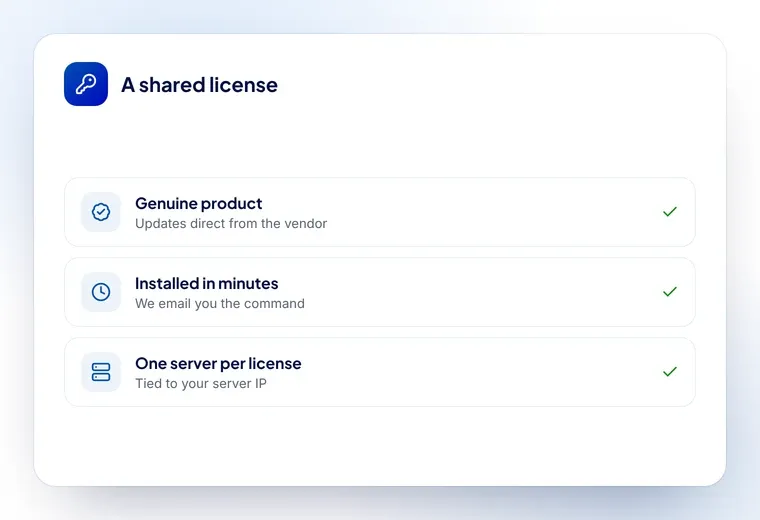
Genuine licenses
Every license is genuine and fully activated, with direct updates from the vendor.
Installed in minutes
Send us your server IP and the license is issued and working in minutes, not days.
Support around the clock
Our team is available 24/7, so a license problem never leaves your server waiting.
A fraction of the list price
Shared licensing gives you the full product for far less than buying direct.
From $3.70 a month, or less per month paid yearly. Every option is in the table above with its price, and the license renews at the rate you signed up at.
Why is it so much cheaper than buying Imunify360 direct?
Because the license is bought in volume and issued to your server, rather than bought one at a time at list price. The software is identical — the vendor’s own release, with the vendor’s own updates.
What is a shared Imunify360 license?
A shared license gives you the full, genuine Imunify360 software on your own VPS or dedicated server for a fraction of what the license costs bought direct. Only the license file changes — Imunify360 itself, its features and its updates are exactly the same.
Is the Imunify360 license genuine?
Yes. You get the real Imunify360 product with full access to its features, and updates come straight from Imunify360’s own servers rather than from us.
How quickly is my Imunify360 license activated?
Usually within minutes of your order. We email you an install command to run on your server, and if you would rather we did it, open a ticket and our team will install it for you at no extra cost.
How do I install the Imunify360 license?
After you order, an install command is emailed to you — paste it into your server’s terminal and the license is applied. You can also open a ticket and we will install it for you free of charge.
Can I replace an existing Imunify360 license with a shared license?
Yes. Remove the license you have from your current provider first, then apply ours. Running two licenses at once causes conflicts, so the old one has to go before the new one is installed.
Can I change the IP address on my license?
Yes. One IP change is free; open a ticket with the new address and we will move the license across.
Do I need a separate license for each server?
Yes — a license is tied to one server IP. If you run several servers, each one needs its own license.
What happens when my Imunify360 license renews?
It renews at the same price you signed up at, on the billing cycle you chose. Nothing on your server changes and there is no re-installation.
Can I cancel my Imunify360 license?
Yes, at any time. The license stays active until the end of the period you have paid for.
What payment methods are available for purchasing an Imunify360 license?
You can pay by card or bank transfer. You will see the available methods at checkout.
On which control panels is Imunify360 installed?
Imunify360 is installed on the popular cPanel, Plesk and DirectAdmin control panels.
Ready to add Imunify360 to your server?
Order online and send us your server IP — the license is usually active within minutes.
 USD
 KES - Kenya